
Flashforge
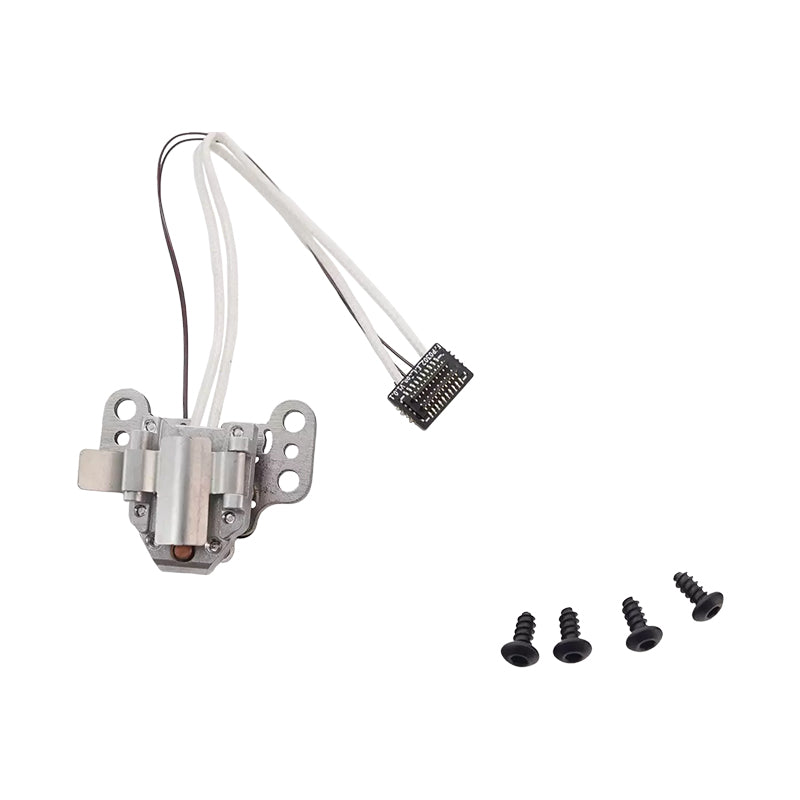
Flashforge AD5X Hotend

We have 4 in stock.


Flashforge AD5X Hotend

EC3D Shop - Maarssen, Utrecht
Pickup Available - usually ready in 2 hours
Address:
Gagledijk 2, Unit B2
3602 AL, Maarssen, Utrecht
Contact details:
Telephone: +31 (0)6 2914 7428
Email: info@ec3d.nl
Trading Hours:
Monday - Friday: 09:00 - 17:00
Saturday & Public Holidays: 10:00 - 15:00
Sunday: Closed
Flashforge AD5X Hotend
The Flashforge AD5X Hotend delivers precision heating and reliable extrusion for consistent, high-quality prints. Engineered for compatibility with Flashforge systems, this hotend features advanced thermal management to maintain stable temperatures across varying print speeds and materials. The robust construction ensures durability through extended printing sessions, while its optimized nozzle design promotes smooth filament flow and reduces clogging. Ideal for users seeking dependable performance and superior print quality on their Flashforge printer.
Key Features:
- Precision heating technology for stable, consistent extrusion across all print speeds and materials.
- Advanced thermal management maintains optimal nozzle temperature to prevent thermal fluctuations.
- Optimized nozzle design reduces filament clogging and ensures smooth material flow. Robust, durable construction built to withstand extended printing sessions.
- Full compatibility with Flashforge AD5X printer systems.
- Superior print quality through reliable extrusion performance.
Specifications:
- Nozzle diameter: 0.4 mm standard.
- Maximum operating temperature: 300°C. Heating element: High-performance ceramic cartridge.
- Thermal sensor: NTC thermistor for precise temperature control.
- Material compatibility: PLA, ABS, PETG, TPU, and specialty filaments.
- Mounting: Direct integration with Flashforge AD5X extruder assembly.
- Construction: Aluminum heat block with stainless steel nozzle.
Installation Steps:
- Power off and allow the printer to cool completely before removing the old hotend to prevent burns.
- Use a wrench to stabilize the heat block while unscrewing the nozzle to avoid damaging internal components.
- Clean the mounting threads with a dry cloth to ensure a secure, leak-free connection.
- Apply a thin layer of thermal paste to the heating cartridge contact points for optimal heat transfer.
- Tighten all connections firmly but do not over-torque; hand-tight plus a quarter turn is ideal.
- Run a nozzle cleaning cycle and perform a test extrusion before starting your first print.
- Calibrate your Z-offset after installation to ensure proper first-layer adhesion.
- Keep spare nozzles on hand for quick swaps when switching between materials or print types.
Together, Layer by Layer!